Today, Meta officially launched Muse Image, its new AI image generation model, along with Muse Video, as the company expands its AI capabilities across its products. With AI image generation becoming one of the fastest-growing areas in technology, companies like OpenAI, Google, Adobe, and now Meta are all competing to build tools that can generate better visuals from simple text prompts.
Instead of repeating Meta’s announcements, our team in London decided to test Muse Image ourselves. We tried it across a range of real-world prompts, including photorealistic scenes, product images, posters with text, illustrations, and image editing tasks.
We also compared the overall experience with ChatGPT’s image generation to see where Meta’s new model performs well, where it still needs improvement, and whether it’s ready to become a serious alternative for everyday users.
Why Muse Image Matters More Than Another AI Generator
While tools from OpenAI, Google, Adobe, and others have already attracted millions of users, Meta has one major advantage that very few companies can match. With billions of people already using its apps every month, Meta is in a strong position to bring AI image generation to everyday users instead of limiting it to dedicated AI platforms.
Rather than asking people to visit a separate website or install another app, Meta is bringing AI image generation directly into Instagram, Facebook, Messenger, and WhatsApp. This means users can create, edit, and refine images without leaving the apps they already use every day.
According to Meta, Muse Image introduces several improvements over its earlier AI tools. The company says the model offers better prompt understanding, supports generating multiple images at once, allows photo editing, and can edit images using sketches or annotations. It also promises improved text rendering, support for multiple artistic styles, conversational image editing, and the ability to use existing photos as inputs for further edits.
If these features work as advertised, Muse Image could make AI image creation much more accessible. The real question, however, is whether the quality matches the convenience. That’s exactly what we wanted to find out through our testing.
How We Tested Muse Image
Rather than relying on a few simple prompts, we wanted to see how Muse Image performs in practical situations that creators, marketers, designers, and businesses are likely to encounter. We tested the model across multiple prompt types to evaluate its image quality, prompt understanding, editing capabilities, and overall consistency.
Our testing included:
- Photorealism
- Product Photography
- Typography
- Brand Design
- Image Editing
- Complex Reasoning
We have shared our observations, generated images, and overall experience for each of these categories below.
We started with a simple prompt: “A young woman sitting in a modern coffee shop, natural window light, realistic photography.” This was the image Muse Image generated.
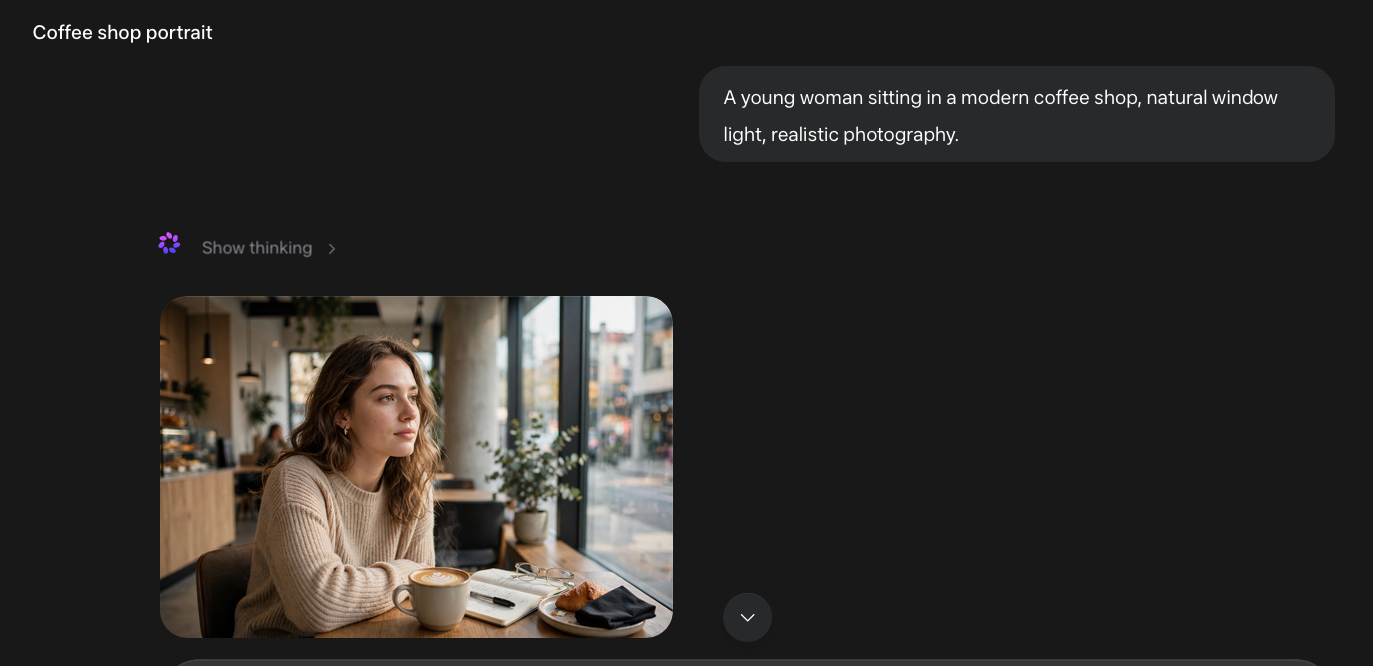
The overall composition is good, with natural lighting, clean background blur, and realistic facial features. However, it still has the polished AI look. The skin appears slightly too smooth, the facial details lack natural imperfections, and a few objects on the table, especially the notebook and glasses, don’t look entirely convincing on closer inspection.
Rating: 6/10
For the second attempt, I expanded the prompt with more details to see whether Muse Image could produce a more natural and realistic result.
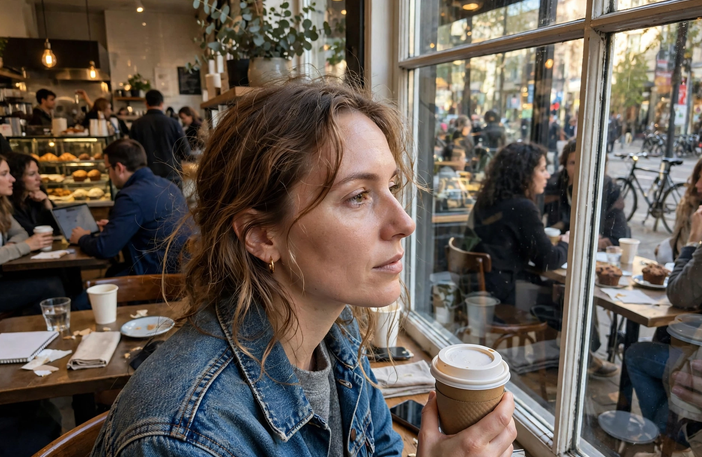
Personally, I wasn’t very impressed. While the image is more natural than the first attempt, it still has a noticeable AI look. The facial features appear slightly artificial, some background elements don’t blend naturally, and the overall image lacks the imperfections that make a genuine mobile photo feel authentic.
Rating: 7/10
For a comparison, we gave the exact same prompt to ChatGPT and here are the results:
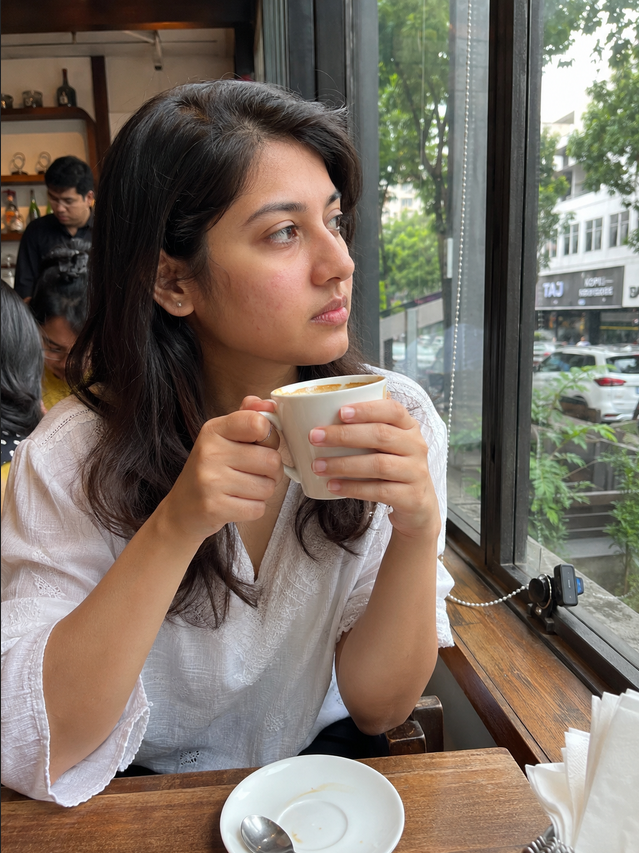
At first glance, the image feels much closer to a real smartphone photo. The skin texture, lighting, facial details, and overall composition look more natural, while the small imperfections make it feel less like AI. We also found the background and reflections to be more believable, giving the image a stronger sense of realism.
Rating: 9.5/10
We also tested Muse Image across several other real-world prompts, including product photography, typography, brand design, image editing, and complex reasoning.
Below are the results from each test so you can see how the model performs across different use cases and compare the outputs for yourself.
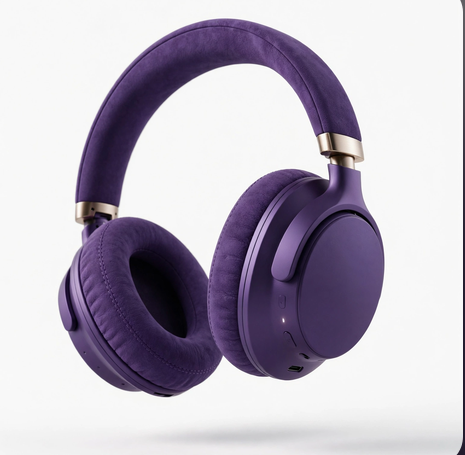
Prompt: A premium purple wireless headphone floating mid air on a white background with soft studio lighting.
Prompt: A modern coffee shop poster with the headline “Fresh Coffee Every Day” and clean typography. Give offer for the day, light blue colour theme with some vibrant colours.

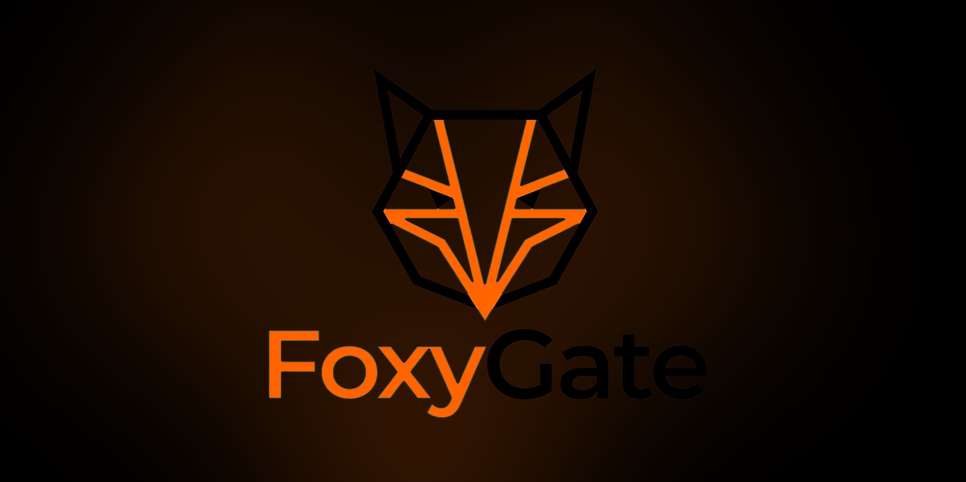
Prompt: Design a minimal fox logo for a technology startup using orange and black colours. brand name is FoxyGate
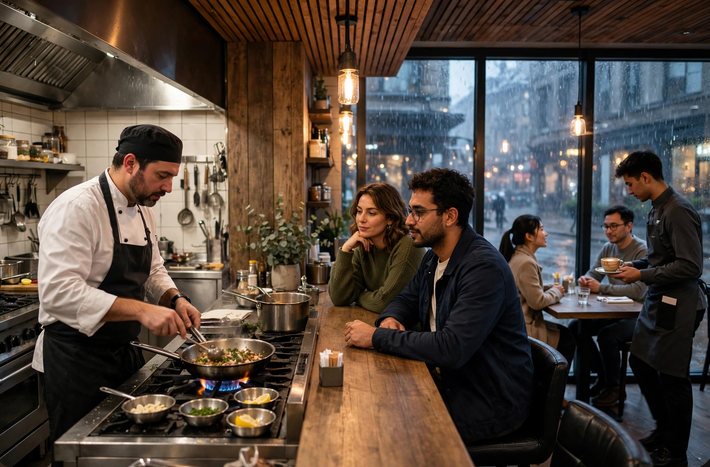
Prompt: A chef cooking in an open kitchen while two customers watch from the counter, a waiter serves coffee to another table, and rain is visible outside the window. Photorealistic.
Conclusion
Our initial tests show that Muse Image is a promising step forward for Meta, but there is still work to be done before it can consistently compete with image generation tools like ChatGPT, Midjourney, and Google’s latest AI models. While it performs well in several areas and benefits from being deeply integrated into Meta’s ecosystem, the overall image quality and realism still fall short in certain scenarios.
Disclaimer: The observations shared in this article are based entirely on our own hands-on testing of Muse Image using a selected set of prompts. Results may vary depending on the prompts, settings, updates to the model, and regional availability. This review reflects our experience at the time of testing and should not be considered a final verdict on the platform.